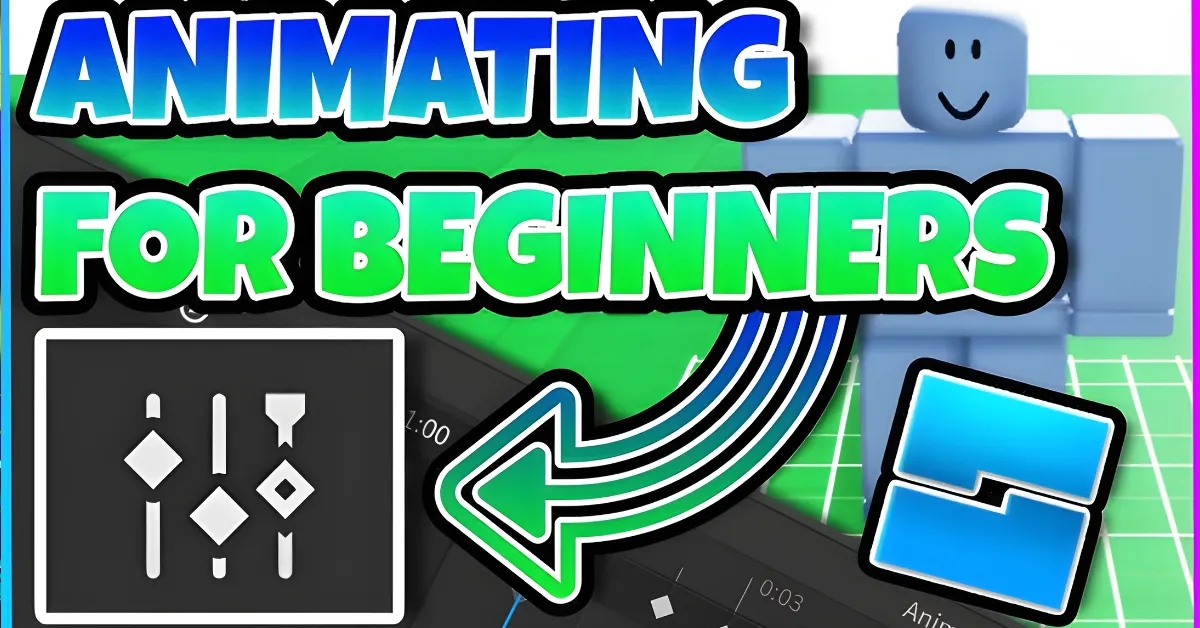
How to Animate in Roblox Studio
Roblox has become more than just a gaming platform. Millions of creators use Roblox Studio to build games, characters, and unique experiences. One of the most important skills for Roblox developers is animation. Learning how to animate in Roblox Studio allows you to create realistic character movements, action scenes, emotes, and cinematic sequences.
Whether you are building a game or creating content for YouTube, understanding Roblox animation can make your projects look more professional. In this guide, you will learn the basics of animation, the tools you need, and the best methods for creating animations in Roblox Studio.
What Is Animation in Roblox Studio?
Animation in Roblox Studio is the process of creating movement for characters, objects, and game elements. Instead of showing a static model, animations allow characters to walk, run, jump, dance, fight, and perform other actions.
Animations are created using keyframes. Each keyframe records the position of different body parts at a specific moment. Roblox Studio then smoothly connects those positions to create movement.
Learning How to animate in Roblox Studio 2026 is easier than ever because Roblox continues to improve its animation tools.
यह भी पढ़े :
Roblox Animation Tools Overview
| Tool | Purpose |
|---|---|
| Animation Editor | Create and edit animations |
| Roblox Studio | Main game development software |
| Moon Animator | Advanced animation plugin |
| Rig Builder | Create R6 and R15 characters |
| Animation Events | Add actions to animations |
| Video Editors | Create YouTube animation videos |
Getting Started with Roblox Studio Animation
Before creating animations, you need Roblox Studio installed on your computer.
Follow these steps:
- Open Roblox Studio.
- Create a new project.
- Insert a character rig.
- Open the Animation Editor.
- Select the rig you want to animate.
- Start creating keyframes.
The Animation Editor is Roblox’s official tool and is perfect for beginners learning how to animate in Roblox Studio without Moon Animator.
How to Animate in Roblox Studio Without Moon Animator
Many beginners wonder how to animate in Roblox Studio without Moon Animator. The good news is that Roblox Studio already includes powerful animation tools.
To animate without plugins:
Create a Character Rig
Use Rig Builder to insert an R6 or R15 character.
Open Animation Editor
Go to the Plugins tab and launch the Animation Editor.
Create Keyframes
Move different body parts and create keyframes at different points on the timeline.
Preview the Animation
Use the Play button to test your movement.
Export and Save
Save the animation and use it inside your game.
This method is completely free and suitable for most beginner projects.
How to Animate in Roblox Studio With Moon Animator
Many experienced creators prefer how to animate in Roblox Studio with Moon Animator because it offers additional features and greater control.
Moon Animator is a popular plugin that allows creators to:
- Create cinematic animations
- Animate multiple characters
- Build complex scenes
- Add camera movement
- Create advanced cutscenes
The plugin is especially useful for game trailers and storytelling projects.
While Moon Animator has a learning curve, it provides professional-level animation tools for serious Roblox developers.
How to Animate in Roblox Studio R6
R6 is one of Roblox’s oldest character systems. Many classic Roblox games still use R6 characters.
If you want to learn how to animate in Roblox Studio R6, follow these steps:
- Insert an R6 rig using Rig Builder.
- Open Animation Editor.
- Select the R6 character.
- Move the six body parts.
- Create keyframes.
- Test and save the animation.
Because R6 characters have fewer joints, animation creation is generally faster and easier for beginners.
How to Animate in Roblox Studio 2025 and 2026
The process for how to animate in Roblox Studio 2025 and How to animate in Roblox Studio 2026 is very similar.
Recent Roblox updates have improved:
- Animation performance
- Timeline controls
- Rig compatibility
- Export options
- Animation blending
These improvements help creators build smoother and more realistic character movements.
Whether you are using Roblox Studio in 2025 or 2026, the core animation workflow remains largely unchanged.
How to Animate in Roblox Studio 2025 R6
Many developers still search for how to animate in Roblox Studio 2025 R6 because some games continue using classic avatars.
R6 animation is ideal for:
- Retro Roblox games
- Simple action games
- Obstacle courses
- Classic roleplay experiences
Because there are fewer body parts to animate, R6 often allows faster animation production compared to R15 rigs.
Common Animation Mistakes to Avoid
Beginners often make mistakes when creating their first animations.
Here are some common issues:
Too Many Keyframes
Adding unnecessary keyframes can make animations look unnatural.
Sudden Movements
Large position changes between frames can create jerky motion.
Ignoring Timing
Good timing is essential for realistic movement.
Not Testing Frequently
Always preview your animation while creating it.
Regular testing helps identify problems before publishing.
How to Make Roblox Animations Without Roblox Studio
Some creators wonder how to make Roblox animations without Roblox Studio.
Alternative methods include:
- Blender animation software
- External animation tools
- Third-party modeling programs
However, most creators eventually import their work into Roblox Studio for final testing and implementation.
For beginners, Roblox Studio remains the easiest and most accessible option.
- Classic Sonic Simulator Roblox: A Complete Guide to Classic Speed, Codes, Obbies and Gameplay 2026?
- Ben 10 Super Hero Time Roblox: Explore Alien Powers, Codes, Gameplay and More?
- Super Mario Bros Roblox: A Fun Guide to Mario-Style Adventures, Codes, Obbies, and Avatars 2026?
- How To Get Free Robux in Roblox: Safe and Legit Ways to Earn Robux 2026?
- 99 Days & Nights Forest Survey Roblox: Explore the Story, Survival Gameplay and Forest Mystery 2026?
How to Make Roblox Animations for YouTube
Creating animations for videos is becoming increasingly popular. Many creators want to learn how to make Roblox animations for YouTube.
To create YouTube-ready animations:
- Build your scene.
- Create character animations.
- Add camera movements.
- Record gameplay footage.
- Edit clips using video editing software.
- Add music and sound effects.
YouTube animation videos can include:
- Roblox stories
- Funny skits
- Game trailers
- Cinematic scenes
- Tutorials
Professional animations can help creators attract more viewers and subscribers.
Tips for Better Roblox Animations
To improve your animation quality:
- Study real-life movements.
- Use smooth transitions.
- Keep animations natural.
- Experiment with timing.
- Practice regularly.
- Watch experienced Roblox animators.
Animation is a skill that improves with experience and creativity.
Conclusion
Learning how to animate in Roblox Studio is one of the most valuable skills for Roblox creators. Whether you are exploring how to animate in Roblox Studio with Moon Animator, how to animate in Roblox Studio R6, or how to animate in Roblox Studio without Moon Animator, the fundamentals remain the same.
With practice, patience, and creativity, you can create impressive animations for games, roleplay experiences, cutscenes, and even YouTube content. As Roblox continues to grow in 2026, animation skills will remain an essential part of building engaging and professional experiences on the platform.