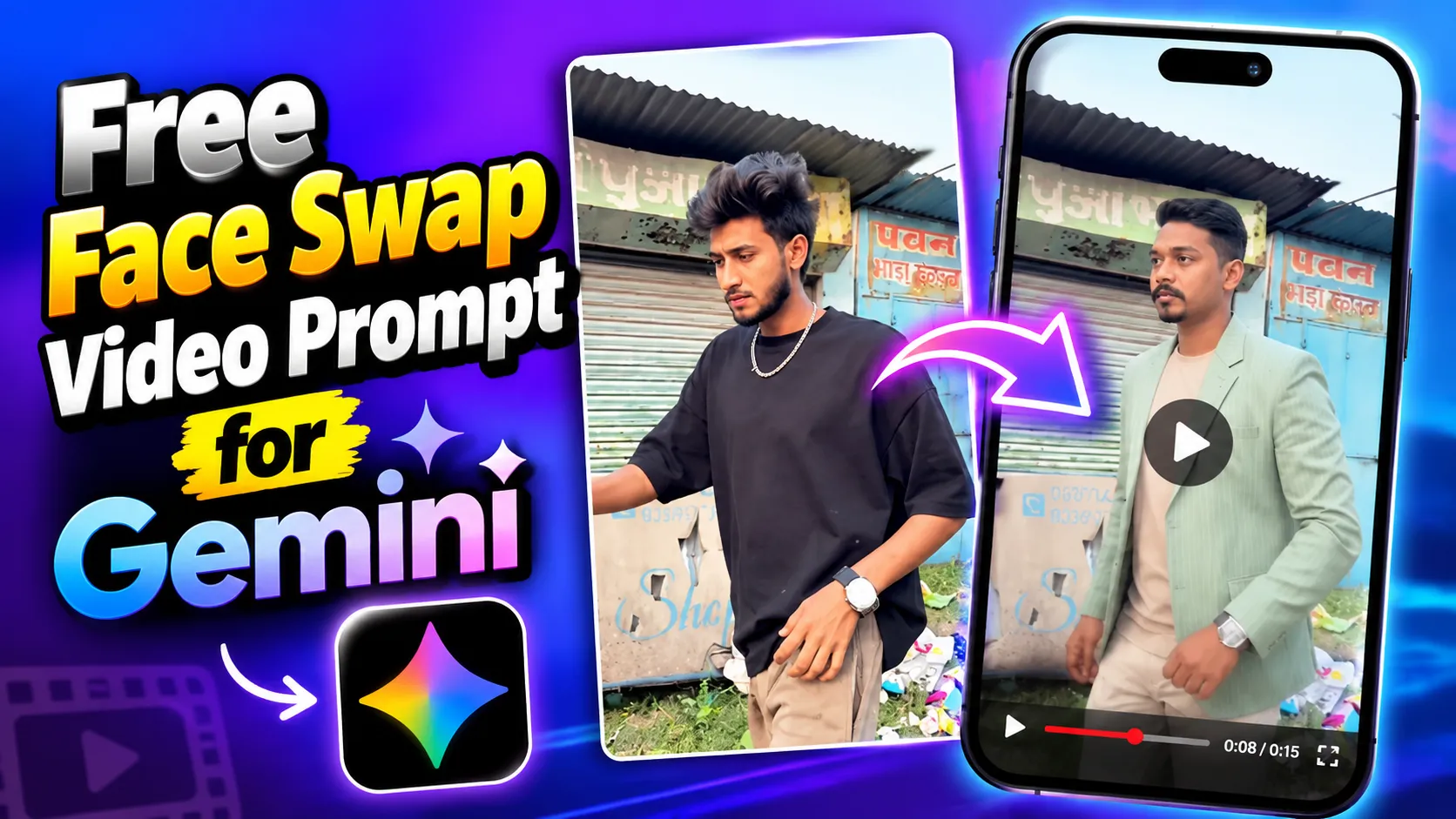
Copy this free face swap video prompt for Gemini to keep the same face and copy the motion from any reference video. Includes real limits and safe-use tips.
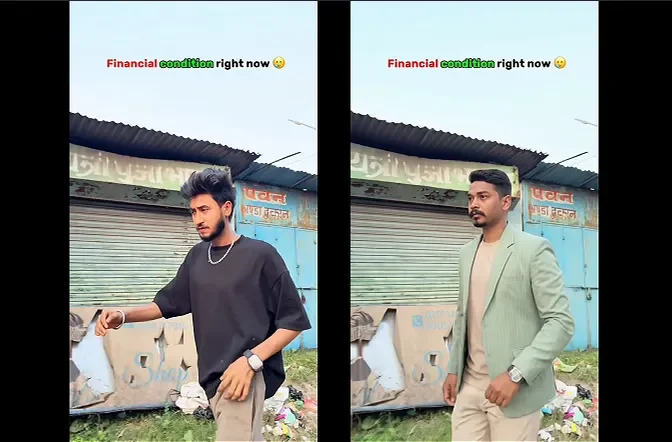
Most face swap videos fail in the first two seconds: the face melts, the hair changes, or the person turns into someone else. This free face swap video prompt for Gemini is built to stop that, so the character from your photo stays the same while the movement comes from your reference video.
Copy the prompt below, then read the limits section before you start. It will save you time and credits.
What This Prompt Does
The prompt uses two inputs:
- Target image: the person or character whose face and look must stay exactly the same.
- Reference video: the clip you copy movement, expressions and camera work from.
In other words, the photo decides who appears, and the video decides how they move. The prompt also sets a clear priority order, so when something conflicts, identity wins over motion, and motion wins over style.
Read This :
Classic Sonic Simulator Roblox
Free Face Swap Video Prompt for Gemini (Copy and Paste)
Use the frame below. Paste the HTML block from the last section of this doc into an HTML block in your blog editor, and visitors get a framed prompt with a Copy button.
The frame holds the full prompt: character preservation, motion transfer, camera transfer, facial performance, realism, temporal consistency, composition, 9:16 output and priority order.
Use the provided reference video ONLY as a motion, camera, timing, and performance reference, and use the provided target image as the absolute visual identity reference.

CORE INSTRUCTION
Recreate the video using the person/character from the target image, while accurately transferring the movement and camera behavior from the reference video.
The target image must remain the source of truth for the character's appearance.

CHARACTER PRESERVATION - ABSOLUTE PRIORITY
Keep the character from the target image exactly consistent throughout the entire video:
- Same face
- Same facial structure and proportions
- Same eyes, eyebrows, nose, lips and jawline
- Same skin tone and realistic skin texture
- Same hairstyle
- Same hair length, shape, texture and hairline
- Same body shape and proportions
- Same clothing
- Same clothing color, fabric, design and details
- Same accessories
- Same overall identity and appearance

Do NOT redesign, beautify, replace, modify, age, de-age or reinterpret the person.
Do not change the outfit or hairstyle even when the body moves.

MOTION TRANSFER
Analyze the reference video frame-by-frame and reproduce its movement as accurately as possible:
- Head movement
- Facial expressions
- Eye direction and gaze
- Eyebrow movement
- Mouth movement
- Blinking
- Neck movement
- Shoulder movement
- Arm and hand movement
- Upper-body movement
- Walking or body movement
- Body posture
- Natural weight shifting
- Timing and rhythm of movements
- Start and end positions of movements

The target character should perform the same actions and movements as the person in the reference video, while remaining visually identical to the target image.

CAMERA MOTION TRANSFER
Copy the camera behavior from the reference video:
- Camera position
- Camera angle
- Camera distance
- Camera height
- Camera movement
- Handheld movement
- Camera shake
- Push-in / pull-out
- Pan / tilt
- Tracking movement
- Framing
- Subject positioning
- Perspective changes
- Movement speed

Do not introduce new camera movements that are not present in the reference video.

FACIAL PERFORMANCE
Transfer the facial performance naturally and accurately.
Match the reference video's:
- Expression intensity
- Smile or neutral expression
- Eye movement
- Eyebrow movement
- Head tilt
- Lip movement
- Emotional timing

However, never alter the target person's facial identity.
The face must remain recognizable as the exact same person from the target image in every frame.

REALISM
Create highly realistic motion with natural human biomechanics.
Avoid:
- Face morphing
- Identity drift
- Facial distortion
- Melting features
- Unnatural eye movement
- Extra fingers
- Missing fingers
- Deformed hands
- Body warping
- Clothing changes
- Hair changes
- Artificial facial expressions
- Rubber-like movement
- Flickering
- Frame-to-frame inconsistency

Hands, arms, face, hair and clothing must remain anatomically and visually consistent throughout the video.

TEMPORAL CONSISTENCY
Maintain strong frame-to-frame consistency.
The character's:
- Face
- Hair
- Body
- Clothing
- Accessories
- Skin texture

must remain stable throughout the entire sequence.
No random changes between frames.

COMPOSITION
Maintain the same composition and subject framing as the reference video wherever possible.
If the reference person moves closer or farther from the camera, reproduce the same relative movement with the target character.

OUTPUT
Aspect ratio: 9:16 vertical
Create a cinematic but natural-looking vertical video suitable for TikTok, Instagram Reels and YouTube Shorts.
The final result should look like the exact person from the target image naturally performing the exact movement and camera performance from the reference video.

PRIORITY ORDER
When there is any conflict, follow this priority:
1. Target image identity and appearance
2. Reference video motion and performance
3. Reference video camera movement
4. Natural physics and realism
5. Visual style

Do not copy the reference person's identity or appearance. Copy ONLY their motion, expressions, body movement, timing and camera movement.
The final video must look natural, realistic, stable, and physically believable.
How to Use This Face Swap Video Prompt Online (Step by Step)
- Open the Gemini app and choose video creation.
- Upload your target image (a clear, front-facing photo with good light).
- Upload your reference video (one person, steady camera, clear face).
- Paste the prompt and generate.
- Watch the first few seconds closely. If the face drifts, adjust and try again.
Feature names and availability can differ by account, plan and country. Google says Gemini Omni is replacing Veo in the Gemini app and accepts text, photos and video as input, so check what your own app shows.
Tips for better results
- Use a sharp, well-lit target photo with no sunglasses or heavy filters.
- Pick a reference video where the face stays visible and the motion is simple.
- Keep the clip short. Shorter clips drift less.
- Match the body framing in both files (head and shoulders with head and shoulders).
- Generate several versions and keep the best one.
Face Swap Video Free 30 Seconds, 60 Seconds or 5 Minutes: What Is Realistic?
You will see pages promising a face swap video free for 30 seconds, 60 seconds or even 5 minutes. Here is the honest picture:
- AI video models generate short clips. In Google’s developer documentation for Veo, video length options are 4, 6 or 8 seconds.
- Longer videos are made by extending clips. On Google’s enterprise platform, extended videos can reach about 37 seconds with Veo and 40 seconds with Gemini Omni Flash.
- A free account normally has daily limits, so the number of clips you can make for free depends on Google’s current rules.
So a 30 or 60 second video usually means several short clips stitched together, and a free 5-minute face swap is unrealistic on most free plans. Be careful with sites that claim otherwise, because they often use trial credits or low-quality results.
Practical plan: make 6 to 8 second clips, keep the same target image and prompt for each, and join them in a video editor.
Face Swap Video Without Watermark: The Truth
Many readers search for a face swap video without a watermark. Two things are worth knowing:
- Some tools add a visible mark or logo depending on plan and product.
- Google says videos made in the Gemini app carry SynthID, an invisible watermark that identifies AI-generated content. It cannot be seen, and it is meant to stay.
We do not recommend removing watermarks or hiding that a video is AI-made. Label your clip as AI-generated instead. It protects you and keeps viewers’ trust.
AI Face Swap Video Online Free: Quick Safety Checks
Before you upload anyone’s face to a website:
- Read the privacy policy. Find out whether your photos and videos are stored or reused.
- Avoid sites that ask for your passwords or force you to install unknown apps.
- Never upload a child’s photo.
- Prefer official tools from known companies.
- Free Face Swap Video Prompt for Gemini (Copy & Paste)
- Free Fire MAX Redeem Codes 13 October 2026 (Today)

- Car Mobile Game Download: Free Android Driving Game

- Free Fire 8 Bit Ring Event Trick: Save Diamonds

- Classic Sonic Simulator Roblox: A Complete Guide to Classic Speed, Codes, Obbies and Gameplay 2026?

Fix Common Problems
- Face changes mid-video: use a shorter clip and a sharper target photo.
- Hands look strange: choose a reference video with simpler hand movement.
- Outfit or hair changes: repeat “same clothing and same hairstyle” at the top of the prompt.
- Flicker: lower the motion complexity or generate again.
- Output is not vertical: state “9:16 vertical” again at the end.
Use Face Swap Videos Responsibly
Face swap tools are fun for edits, memes, storytelling and your own content, but they can also be misused.
- Use your own face, or get clear permission from the person in the photo.
- Do not impersonate real people, spread fake news or make fake endorsements.
- Do not make sexual, harassing or deceptive content.
- Follow the rules of Gemini, YouTube, Instagram and TikTok, and label AI videos when asked.
Conclusion
The best free face swap video prompt for Gemini does three things: it locks the identity, copies only the motion and camera, and sets a priority order for conflicts. Add short clips, a clear photo and honest labelling, and your results will look far more natural.
Your turn: Did the prompt keep the face consistent for you? Tell us in the comments what clip length worked best.